
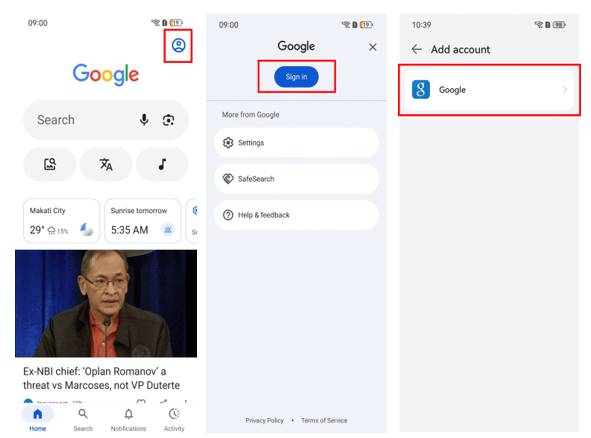
An account prompt is much more stressful when it appears during a trip. Your Huawei phone may hold boarding passes, hotel details, local banking apps and the number used for verification messages. If the device has already been reset, the priority is to regain legitimate access without creating new security problems.
Do not reset the phone again immediately
If the phone is already at the setup screen, another factory reset is unlikely to solve an account-verification prompt. First check exactly what it is asking for: a Google account, HUAWEI ID or another credential.
People searching bypass google account huawei while travelling are often trying to get a working phone quickly. In practice, recovering the correct account is usually more reliable than experimenting with unofficial unlock utilities on hotel Wi-Fi.
Recover accounts on a trusted connection
Use a private network where possible and go through the official Google or Huawei recovery process. Make sure you can still access the recovery email or phone number connected to the account. If your usual SIM is not active abroad, check whether recovery can be completed from another trusted device.
Avoid sharing verification codes with a remote technician or seller. Those codes can provide access to much more than the phone itself.
If the device belongs to someone else
For a borrowed or recently purchased phone, contact the account owner. A legitimate transfer should be completed by the person whose account is still attached to the device. If it is your own second-hand purchase and the seller cannot be reached, keep the receipt, serial number and purchase messages for Huawei support.
An authorised service centre is a better option than letting an unknown tool modify a phone that contains travel or financial information.
Rebuild the essentials first
After legitimate activation, restore only the apps you need immediately. The Huawei Community article linked through bypass google account huawei is useful for Google-related setup and troubleshooting once the phone is usable again.
Start with maps, airline or train apps, hotel bookings, messaging, banking and authentication. Test the local SIM and save important travel details offline before experimenting with less important apps.